After countless hours of trying and debugging, I would like to share how it is possible to connect the Sofar WiFi Logger (LSW3) to evcc and Solarman Cloud.
The task was not straightforward, as many older GitHub comments suggest it doesn't work and that you need to switch to RS485 or the Sofar Ethernet Logger (LSE). But it is actually possible to use the WiFi Logger with Solarman and evcc in parallel - it just highly depends on the firmware. Sadly, these are mostly not available via the vendor's website; you have to request them from support or download elsewhere (not recommended).
My initial problem was that the logger was sold with firmware LSW3_15_MQTT_270A_1.2B. With this firmware it is not possible to communicate with the inverter via Modbus - at least not with the HYD 8KTL-3PH model. The following test script confirmed this, as the result was always "timeout" and no data was received.
#!/usr/bin/env bash

HOST="192.168.178.28" # IP of WiFi Logger
PORT="8899"           # Port of WiFi Loggers TCP server

# Test connectivity
(echo >/dev/tcp/${HOST}/${PORT}) 2>/dev/null || ( echo "IP or Port not reachable"; exit 1 )

# Common SOFAR / Solarman slave IDs
SLAVE_IDS=(1 100 247)

# Known SOFAR register addresses (hex)
HEX_REGS=(
  0x0400
  0x0401
  0x0402
  0x0403
  0x0404
  0x0405
  0x0410
  0x0411
  0x0412
  0x0413
  0x0414
  0x0415
  0x0484
  0x0485
  0x0486
  0x0487
  0x0488
  0x0489
  0x048A
  0x048B
  0x048C
  0x048D
  0x048E
  0x048F
  0x0490
  0x0491
  0x0492
  0x0493
  0x0494
  0x0495
)

for slave in "${SLAVE_IDS[@]}"; do
  for hex in "${HEX_REGS[@]}"; do

    dec=$((hex))
    hexfmt=$(printf "0x%04X" "$dec")

    output=$(mbpoll \
      -m tcp \
      -a "$slave" \
      -0 \
      -r "$dec" \
      -c 1 \
      -o 10 \
      -1 \
      "$HOST" \
      -p "$PORT" 2>&1)

    if echo "$output" | grep -qiE "timed out|timeout"; then
      echo "Result: $slave/$hexfmt timeout"

    elif echo "$output" | grep -qi "Illegal data address"; then
      echo "Result: $slave/$hexfmt illegal-address"

    elif echo "$output" | grep -q "\[$dec\]:"; then
      value=$(echo "$output" | grep "\[$dec\]:" | sed -E 's/.*\[[0-9]+\]:[[:space:]]*//')
      echo "Result: $slave/$hexfmt data=$value"

    elif [ -n "$output" ]; then
      short=$(echo "$output" | tail -n1)
      echo "Result: $slave/$hexfmt unknown=$short"

    else
      echo "Result: $slave/$hexfmt no-output"
    fi

    sleep 2
  done
done
Solution
- First, make sure that the WiFi Logger always gets the same IP address via DHCP, or configure a static IP address.
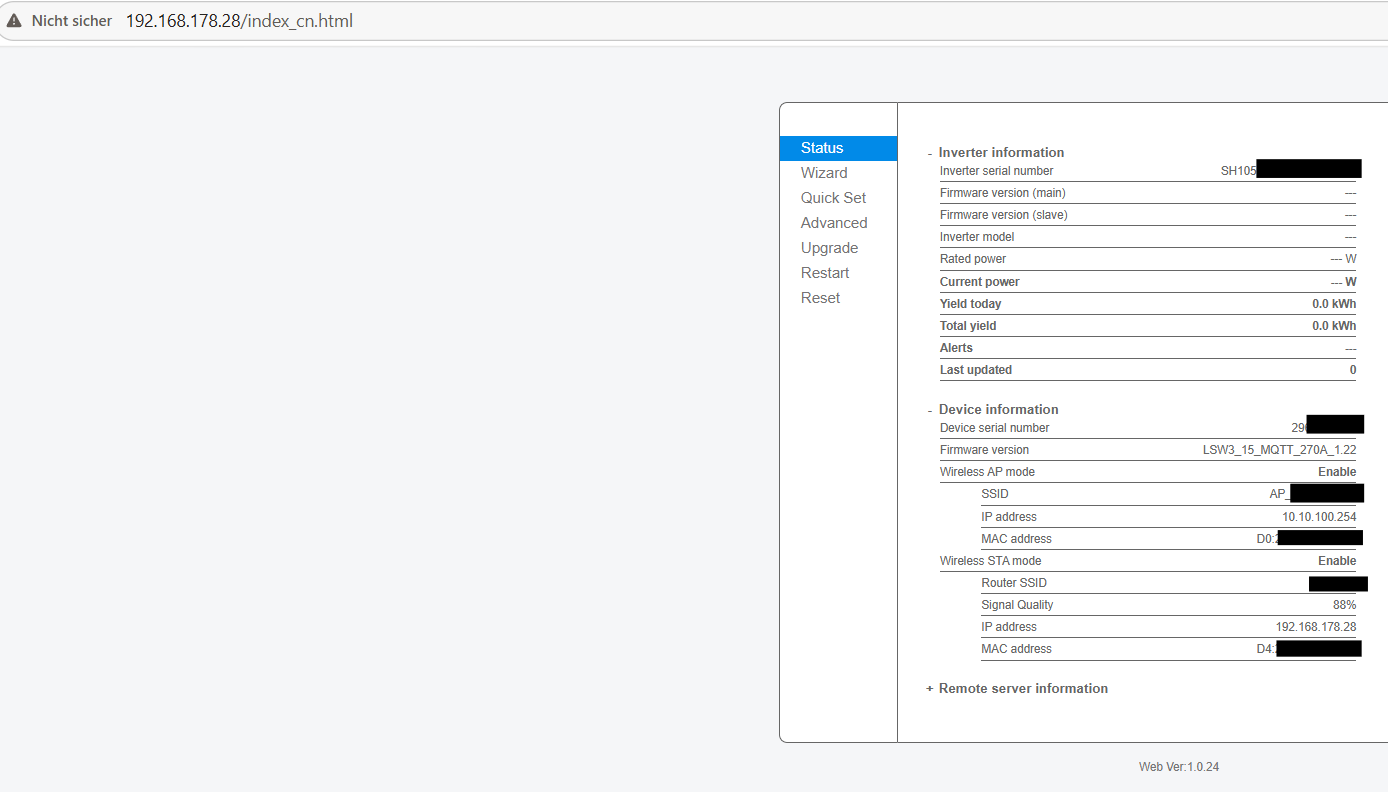
- Request firmware LSW3_15_MQTT_270A_1.22 from Sofar support or download (not recommended) from here. I tested 3 firmware versions and this is the only one where Solarman Cloud and evcc both worked (at least with my inverter).
- Upgrade the firmware and make sure the Logger is using it
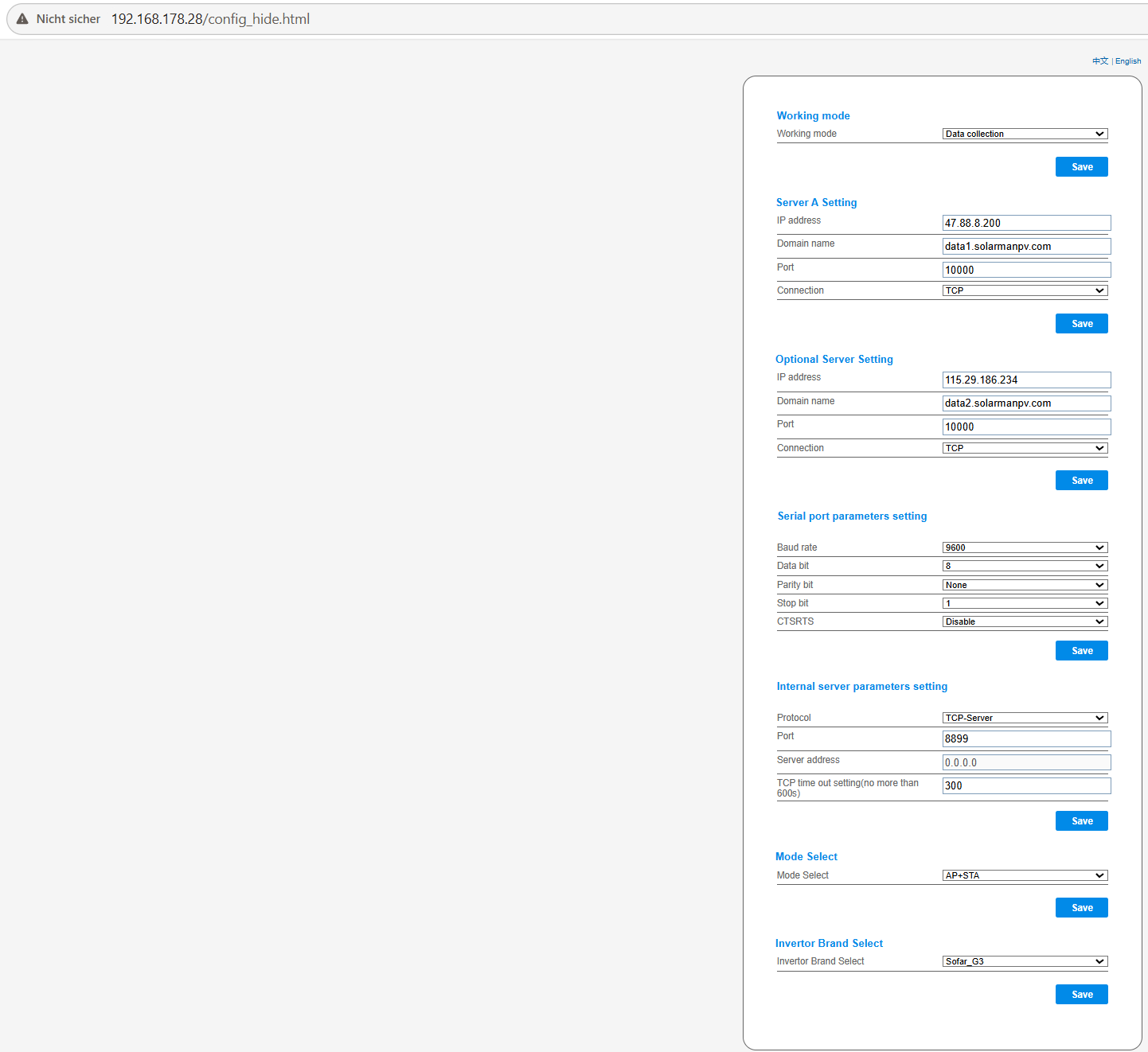
- Make sure that you configure the Logger's TCP server on a known port to which evcc can connect and the mode is Data Collection and AP+STA. These config options are only available via the hidden config page (/config_hide.html).
- Optional: Use test script above to check if data can be fetched
- Connect evcc using the correct template (depends on the inverter type) via TCP
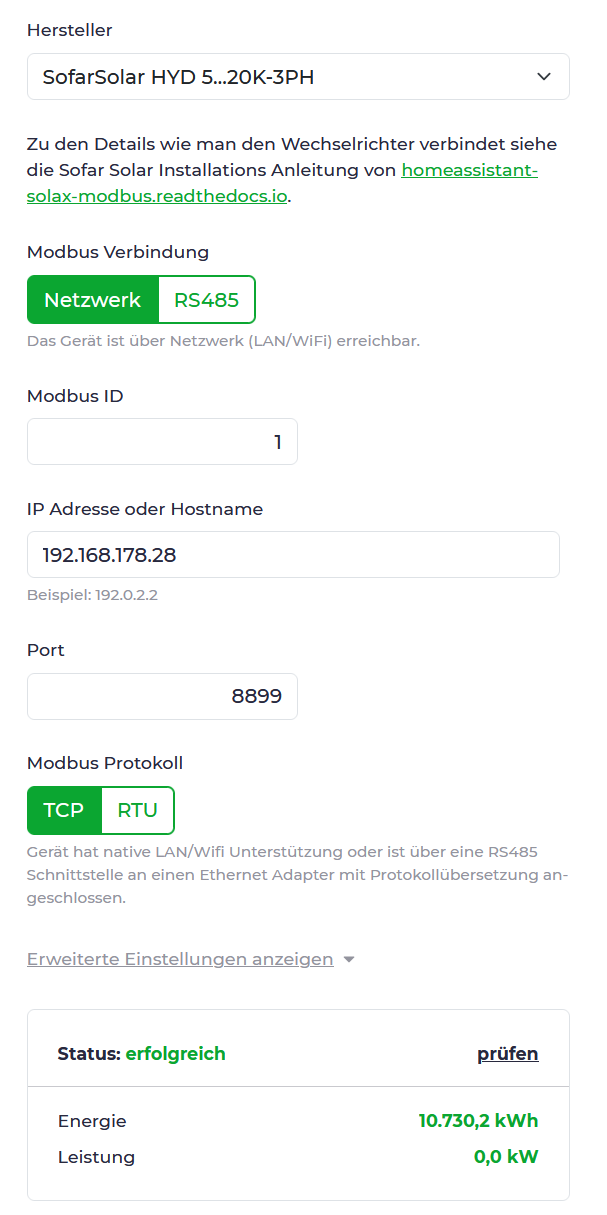
- Check that Solarman still works as well